
Free HVAC Marketing Expert AI
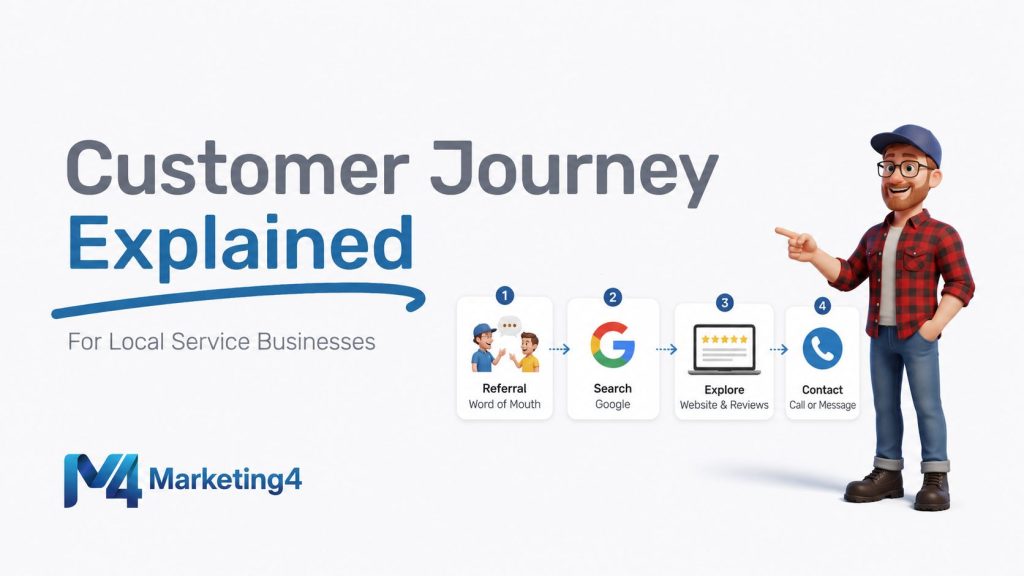
This is a long read … interact with this article instead! Sign-up for a free ChatGPT account and you can interact with an HVAC marketing expert AI trained by this article.
Chat with an HVAC marketing AI trained on this guide. Ask questions and get examples tailored to you:
TLDR: What Actually Works for HVAC
This might be the longest and most explicit guide you will find on HVAC Marketing. We discuss more than just marketing, we discuss customer behaviour, psychology and operations.
But let’s start with a “Too-Long-Didn’t-Read” (TLDR) section.
The simple path is the winning path. Be easy to find, answer fast, and keep every touchpoint consistent.
- Build the website first. Every channel sends people to your site, where Experience, Expertise, Authoritativeness, and Trustworthiness (E-E-A-T) decide who gets the job.
- Package services the way people buy them: emergency, maintenance, and installs.
- Turn one-time jobs into repeat business, and preventative maintenance plans, with clear pricing and gentle reminders.
You started your shop to help people stay safe and comfortable, not to become a marketer.
This guide makes HVAC Marketing simple. We will use plain words, short examples, and checklists you can use today.
Rule of thumb: If a stranger lands on your site at 9 p.m., they should know what to do in 5 seconds.
Quick HVAC Truths That Create Wins
These points are not theory. They are the everyday levers that decide profit, reviews, and repeat work. Read each one, then imagine how it plays out in your shop.
Website first is not optional
Your website is the front desk of your business. Ads, social posts, emails, and the map results all send people there. If the site is slow or unclear, every dollar you spend underperforms.
Imagine this: a homeowner searches “no heat near me” and clicks your listing. If the phone number is hard to find or the page does not load on a phone, they leave in ten seconds and pick the next company.
An optimized website shows up in the top two HVAC marketing strategies listed by ServiceTitan.
Reviews need a system, not hope
Great work does not guarantee reviews. A simple process does. Ask at job close, send a direct link, and follow up twice with gentle reminders. Reply to every review with a calm, human voice.
Speed to lead beats clever creative
Most people choose the first helpful human who answers. Aim to pick up calls in under 20 seconds. Aim to return web leads in under 5 minutes.
If you miss a call, send an automatic text that says you saw the call and will call right back. This keeps the person with you while the phone is ringing elsewhere.
Referrals power growth
Referrals are the fastest path to trust. They work for homes, and they matter even more for buildings because one referral can open many sites.
Make it easy to refer. Ask at job close with a simple script, thank both sides with a small credit, and track referrals in your Customer Relationship Management (CRM) system. Add a short page with a shareable link and respond within minutes when a name comes in.
Imagine this: a property manager forwards your quarterly report to a peer. They see the photos, the clear notes, and the one contact number, then ask for a proposal that covers three addresses. That is a referral system doing real work.
Price transparency beats coupons
Coupons can feel like a trick. Clear, visible prices feel honest. Publish your diagnostic fee and what it includes. Explain the steps before any paid work begins. People relax when the path is predictable.
Service mix is strategy
Repairs feed installs. Memberships smooth out peaks and fill shoulder seasons. Decide the mix you want instead of drifting into it. Review it each quarter and adjust.
Metric math runs profit
Three metrics move margins more than fancy ads. They are “first-visit fix rate”, the parts you keep on trucks, and the time you spend driving across town. Stock the parts you used most last season. Group nearby calls when you can.
Seasonal patterns are predictable
The first heatwave and the first cold snap happen every year. Staff, stock, and schedule like you know they are coming. Use weather alerts to time your ad budget and your bids.
Photos and inspections protect profit
Before and after photos and a few quick inspections cut callbacks and disputes. They also create training examples and fuel honest reviews. Save them in the job history so your team can learn from them.
Own your numbers each week
Pick a short list of key numbers, also called Key Performance Indicators (KPIs). Review them for 30 minutes every week. Good targets include cost per lead, booking rate, close rate, average ticket, first-visit fix rate, review request rate, and membership count.
Financing helps people say yes
If you offer financing options, show simple monthly examples with the total cost and the term length. Add the table to install pages and to quotes. People compare monthly numbers. Help them do it quickly and fairly.
Why Homeowners Choose One HVAC Company Over Another
Homeowners are not experts in heating and cooling. They feel stress when systems fail. Your job is to lower that stress with clear steps and visible proof.
What Customers Fear
People often fear surprise bills, being taken advantage of, being scammed, unsafe work, long delays, and pushy sales. You can reduce each fear with simple moves.
- Publish your diagnostic fee and list what it includes.
- Show licenses, insurance, and permits where people can see them.
- Give a real arrival window and send updates if it shifts.
- Explain options as “today” and “later” with photos and readings.
What Customers Want
People want a clear plan, fast response, and proof that you know your craft. They also want fair payment options.
- Post a simple visit plan: diagnose, show photos, explain options, get approval, complete the work.
- Share real job photos and short field videos. Raw is fine.
- Include financing examples next to every install option.
- Create easy-to-read informative blogs on common issues. Reference these blogs in proposals so they can feel informed on the topic.
Moments That Decide the Job
Small moments flip decisions. A friendly call answer, a fast text after a form, and a clean intro at the door all build trust.
- Answer the phone with your name and your company, then ask how you can help.
- Send a short text when you are on the way with the technician’s name and arrival window.
- Leave the area cleaner than you found it and state the next step before you go.
Why Businesses Choose One Commercial HVAC Company Over Another
Commercial buyers focus on uptime, safety, and clear documentation. They need a partner who follows site rules and communicates well.
- Publish Service Level Agreement (SLA) targets and share a sample Preventive Maintenance (PM) report with photos and readings.
- Offer one invoice per site or one invoice per portfolio, and list a single point of contact who owns the job.
- Show your safety program basics, Certificate of Insurance (COI) limits, Workplace Safety and Insurance Board (WSIB) clearance, and Certificate of Recognition (COR) status if you have it.
Psychology That Moves HVAC Buyers
Simple psychology explains most decisions. Use it in scripts, on pages, and during visits so people feel safe and informed.
Core Principles
These ideas sound formal, but they are easy to use when you frame them in everyday words.
- Loss aversion: people act to avoid loss first. Talk about the risk of frozen pipes or high energy bills in plain language.
- Social proof: fresh reviews and recent photos lower risk. Show dates and neighborhoods when allowed.
- Authority: visible licenses, manufacturer badges, helpful blogs, and a clear process show you run a tight operation.
- Reciprocity: free checklists and short explainers make people feel cared for.
- Anchoring: show good, better, and best. Most people choose the middle when trade offs are clear.
- Commitment: memberships help owners take care of systems on time.
Practical Use in Scripts and Pages
Here are four simple ways to apply the ideas above in your calls, pages, and quotes. Each one maps to the psychology in plain language.
- Emergency page text using loss aversion and authority: Explain the risk in simple terms, then show a clear plan and your credentials.
Example copy: “No heat can lead to frozen pipes. Here is our plan. We diagnose, show photos, explain options, and get your approval before any work. Licensed technicians. Upfront pricing.” - Service page module using social proof: Add a small “Recent jobs near you” section with dates, neighborhoods, and one photo. Keep it real and current.
Example copy: “Furnace repair on Maple Street, January 12. Temperature split back to normal. ‘They arrived on time and showed photos.’” - Install quote layout using anchoring and fair financing: Present good, better, and best with plain outcomes. Show a monthly example and the total cost so people can compare.
Example copy: “Good: reliable heat. Better: quieter and lower bills. Best: highest comfort. From $129 per month, total cost shown on the quote.” - Membership offer using reciprocity and commitment: Give a helpful checklist and a simple promise. Make the next step easy.
Example copy: “Join the maintenance plan. Two tune ups per year, priority phone number for priority service, and a simple report after each visit. Download the checklist and pick a time that works for you.”
Types of HVAC Customers and How to Market to Each
Different customers need different paths. Speak to each type so they can move forward without friction.
Emergency Caller
These people feel stress and want a human right now. Put the phone number high on the page and do not bury it.
- Use large “Call Now” and “Book Emergency” buttons above the fold.
- Publish the diagnostic fee and explain how approvals work.
- Add a short form for backup. Promise a call back window and meet it.
Planner or Researcher
These people compare features, rebates, and brands. They want quiet, comfort, and clear costs.
- Show side by side install packages with what is included and why it matters. Great blog material.
- List rebate steps in order and say who handles each step.
- Add a 60 second video to each key page. Raw phone video is fine.
Budget-Conscious Homeowner
These people want fair options and honest trade offs. Help them decide without pressure.
- Offer good, better, and best with monthly payment examples and total cost.
- Explain energy and comfort trade offs in simple words.
Property Manager or Landlord
These buyers care about uptime, clear reports, and simple billing. Make renewals easy.
- Offer PM tiers based on site count and asset type, with priority response built in.
- Send photo reports and deficiency quotes within 48 hours of each PM visit.
Loyal Repeat Customer
These people want reminders, small perks, and easy rebooking. Thank them by name.
- Include two tune ups per year, priority service, and small parts discounts.
- Use auto renewal with a simple opt out in case life changes.
Commercial Property Manager or Facilities Lead
These buyers need uptime, predictable billing, clear documentation, and one point of contact. Keep communication simple and steady.
- Reach via LinkedIn, your chamber of commerce, Building Owners and Managers Association (BOMA), and International Facility Management Association (IFMA).
- Offer Preventive Maintenance (PM) contracts, Service Level Agreements (SLAs), and consolidated invoicing.
- Send quarterly reports with photos, readings, and a short summary of open items.
- Start with commercial properties near you and build a strong commercial customer base. Then get referrals.
Owner Rep or Asset Manager
These buyers plan budgets and reduce risk. They want lifecycle cost clarity and straight answers on energy and rebates.
- Offer multi year service and replacement plans with simple timelines and ranges.
- Use standard scopes across sites so bids are apples to apples.
- Provide clear rebate steps and note who handles the paperwork.
Service-Type Playbooks
Each service category has a different rhythm. Use these simple plays to match how people buy and decide.
Diagnostic and Emergency Repair
Nature: urgent and unplanned. People want calm and clarity.
Channels They Use To Find Services: Google Search, Local Services Ads (LSAs), Google Business Profile (GBP) calls, and after-hours routing.
Offering: list a transparent diagnostic fee. Apply it to the repair if approved.
Customer Service Representative Script: confirm symptoms, set an honest window, and explain steps and approvals. Use the person’s name.
On-site checklist: start with safety, take the key readings, label photos, and list options as “today” and “later.”
Key Metrics to Track: answer time, time to schedule, first-visit fix rate, average ticket, and review rate.
Preventive Maintenance and Tune Ups
Nature: planned and seasonal. Memberships drive most visits.
Channels They Use To Find Services: email and text reminders, GBP posts, and seasonal pages.
Offering: a single visit option and a membership option with two visits, priority service, and a small parts discount.
On-site checklist: filter, drain, temperature split or combustion as applies, static pressure, electrical checks, and safety items.
Key Metrics to Track: membership count, renewal rate, Indoor Air Quality (IAQ) add-on rate, and fewer “no heat” or “no cool” events among members.
Planned Replacement and Installs
Nature: scheduled, higher ticket, and multi-step. Trust and simple math matter.
Channels They Use To Find Services: service pages, a financing page, remarketing, and short explainer videos.
Offering: good, better, and best. Include rebate guidance and a monthly payment table with total cost disclosure.
Discovery: home size, comfort issues, noise, electrical panel capacity, venting, and permits.
On-site checklist: load considerations, duct condition, line set, pad or stand, electrical, and registration steps.
Key Metrics to Track: close rate by tier, margin, callbacks, and reviews per install.
Indoor Air Quality and Add Ons
Nature: cross-sell or planned upgrade. Keep it honest and simple.
Channels They Use To Find Services: maintenance visits, nurture emails, an IAQ hub page, and short in-home demos.
Offering: bundle with tune ups or installs. List maintenance intervals and costs.
Key Metrics to Track: attach rate, average ticket lift, and customer satisfaction notes.
Commercial PM and Light Commercial
Nature: contract driven and documentation heavy.
Channels They Use To Find Services: outreach to property managers and landlords, chamber and business associations, LinkedIn, and proposals.
Offering: PM contracts, SLAs, consolidated billing, and photo reports.
Key Metrics to Track: contract value, site coverage, response time, and retention.
Retrofits, Conversions, and Heat Pump Programs
Nature: project work tied to incentives and energy goals.
Channels They Use To Find Services: rebate explainer pages, short webinars, utility listings, and realtor partnerships.
Offering: handle paperwork, schedule inspections, and provide post-install support.
Key numbers: rebate approval rate, cycle time, and local referrals.
Warranty and Recall Service
Nature: time bound and often sensitive.
Channels They Use To Find Services: direct outreach and Customer Relationship Management (CRM) flags.
Offering: list what is covered and what is not covered. Disclose any trip charges in plain words.
Key numbers: resolution time, repeat issues, and customer follow-up notes.
Trust Builders That Work For HVAC
Trust is not a slogan. It is a set of small habits that repeat on every visit. Make these habits part of how you operate.
Residential trust builders
Speak like a helpful neighbor and keep promises simple and visible. The phrase “your technician” is a powerful anchor for trust.
- Language and identity: say “your technician” in calls, texts, invoices, and leave-behinds. It helps people feel cared for by a specific person.
- Home Comfort Report Card: record temperature split, static pressure, drain check, key electrical or combustion readings, filter size and date, and safety notes. Include before and after photos. Offer to return replaced parts on request.
- On-site manners: wear shoe covers, use drop cloths, keep tools tidy, and introduce yourself with your name and role.
- Next steps: give an update window, state parts ordering steps, and explain what will happen on install day.
- Extras: leave a filter size sticker and text a final clean area photo when the work is done.
Commercial proof that calms buyers
Commercial teams need clear proof that you will protect tenants, stay safe, and keep systems running.
- PM deliverables: time-stamped photos, readings, a deficiency list with priority level, and a quote within 48 hours.
- Admin packet: safety summary, COI limits, WSIB clearance, COR status if applicable, and a sample SLA.
- Billing clarity: one invoice per site or one invoice per portfolio, with a quarterly roll-up.
Offers, Pricing, and Financing That Convert in HVAC Marketing
People choose faster when choices are simple and fair. Make it easy to say yes without pressure.
Package design that removes friction
Connect features to outcomes. Avoid buzzwords. Describe what the person will feel and notice after the work is done.
- Good: reliable repair today.
- Better: better efficiency and lower noise.
- Best: comfort control, strong warranty perks, and smart features.
Financing where people need it
There are simple financing options that HVAC businesses can integrate with. Just make sure to do your research on these companies before offering financing as an option.
If you do offer financing, place a simple table on every install page and in every quote. Include the monthly amount, the term length, and the total cost. People will do the math anyway. Help them do it right.
Risk reversal that feels honest
Offer a clear workmanship warranty. Tie extended protection to maintenance plans so the equipment stays healthy and the promise stays fair.
Margin discipline and simple policies
Write one page of pricing rules for Customer Service Representatives (CSRs) and technicians. Keep discounts rare and tracked. This protects margin and keeps offers consistent.
- Trip fee versus diagnostic fee and when each applies.
- Parts markup policy and caps.
- Approval thresholds for any discount.
- PM tiers by visit frequency and asset count.
- After-hours response with clear premium rates.
- Time and Materials (T and M) with a Not To Exceed (NTE) limit and a simple change authorization step.
- Invoice terms and consolidated billing by portfolio when needed.
First Impressions Start Before You Arrive
Trust begins before the door opens. A short, friendly message and a ready truck do more than any ad can do.
Pre-arrival workflow that calms nerves
Send a text with the technician’s name, photo, vehicle type, and the arrival window. Add small notes on likely access so the visit goes smoothly.
Example: “Hi Sam, your technician Jordan will be there between 2 and 4 p.m. Please secure pets. We may need access to your breaker panel and thermostat.”
Truck and tech readiness that saves the day
First-visit fixes save time, fuel, and patience. Stock based on last season’s data and your top parts. Set uniform and ID standards. Standardize and brand the vehicles. Practice the greeting and the closing so it sounds natural.
In off-times, bring technicians in for a ‘breakfast-and-learn’ where you role-play different scenarios with the technicians teaching them key scripts and language to use when greeting customers, suggesting additional fixes, and handling issues. This might seem corny, but this practice definitely pays off!
Shop front that signals clarity
Clear signage, good night lighting, and easy-to-read service flags like Furnace Repair, Air Conditioner Repair, and Heat Pumps tell drive-by traffic what you do without guesswork.
Digital Marketing
Digital basics drive almost every lead. Keep this section simple, structured, and focused on what helps real buyers choose you.
Website
Every channel points to your website, so the site needs to earn trust in seconds. A clean structure also lifts the map results and the normal search results at the same time.
People look for Experience, Expertise, Authoritativeness, and Trustworthiness (E-E-A-T) when they are assessing different service providers. Your website must have clear E-E-A-T signals.
When someone gets to your website they need to be able to answer these questions within 3 seconds:
- What do you do?
- Where do you do it?
- How do I contact you?
Minimum viable structure
These pages form a simple map that helps people and helps search engines understand your services and your service area.
- Core pages: Home, Services, Areas Served, About, and Contact.
- Service pages with city targeting like “Furnace Repair in Hamilton” and “Heat Pump Installation in Burlington.”
- Split Residential and Commercial in the top navigation so people find the right path fast.
- Always-visible phone and Book Now buttons. Use click-to-call on mobile.
- For commercial buyers, add “Request Vendor Setup” and “Request Proposal” forms.
Learn more about our web design services, see Web Design for Local Businesses.
Trust and E-E-A-T signals on the site
E-E-A-T: Experience, Expertise, Authoritativeness, and Trustworthiness
These items show that you are real, careful, and qualified. They also help people who skim.
- Real job photos with dates and brief captions.
- Show reviews and testimonials.
- Have a full “About” Page with technician bios including training and credentials.
- Licenses, insurance, warranties, privacy policy, and financing disclosures.
- Manufacturer and association badges. Author box and last updated date on key pages.
Technical basics, explained simply
These items are the foundation. They are not fancy, but they matter every day.
- Fast load times, mobile-friendly layout, and a secure site (https).
- Schema markup for Local Business, Service, and Product so search engines understand your offers.
- Name, Address, and Phone Number in the footer and a map on the Contact page.
Intent-driven information architecture
Different pages should match different needs. Guide people from learning to booking.
- Emergency page: phone first, short form backup, and a small “what to expect on your visit” box.
- Service Pages: title should be <service name> in <main city> with a contact form all ‘above the fold.’
- Maintenance page: what is included, time on site, and a sample report card.
- Install page: good, better, best table, financing examples, and install day steps.
Google Business Profile (GBP)
Google Business Profile is your most visible asset in map searches.
Keep it tidy and current so people can choose you fast.
- Use correct categories, services, products, hours, phone, and booking link.
- Add photos of installs, vans, staff, and the shop front every month.
- Seed Questions and Answers with the most common questions and clear answers.
- Post seasonal offers and proof from real jobs.
- Link products and services to matching site pages.
- Request a review after every job and respond to all reviews.
Check out our Google Business Profile for Local Businesses service. Want to learn more about Google Business Profiles? Check our blog: Google Business Profile: What is it and why you need one
Search Engine Optimization (SEO) that matches real search behavior
Map keywords by service and city. Separate “emergency” intent from “planned” intent so pages stay focused and useful.
- Build topic groups for repair, install, maintenance, Indoor Air Quality, ductless, heat pumps, thermostats, and rebates.
- Use on-page links that nudge people toward the right action, such as booking a visit or asking a question.
- Earn safe local links such as sponsorships, supplier mentions, chambers and local associations, and trade schools.
Start with a simple plan or have Marketing4 help you out: SEO for Local Businesses.
Content that reduces anxiety
Teach the few things that matter most to a homeowner. Keep each piece short and useful.
- Topics: filter changes, temperature split, what a tune up includes, safety checks, and rebate steps.
- Formats: 60 second field videos, simple diagrams, photo galleries, and one-page checklists.
- Repurpose to the blog, GBP posts, email newsletters, social media, and key service pages.
Subtly staying front of mind
Email is one of the easiest ways to stay in front of people without pushing them. The goal is to remind them you are reliable, not to hammer them with sales. Small, helpful touch points over time build trust and keep you first in mind when a problem hits.
There are two main ways to do this: general email newsletters and automated email drip campaigns. Both matter for homeowners, but they are especially valuable for commercial contacts like property managers and facility leads, because those buyers plan ahead and care about uptime, budget, and compliance.
Here are simple ways to use email so you keep the relationship warm all year:
- Monthly or quarterly email newsletter: Send one short update with seasonal tips, safety notes, rebate reminders, and any service windows that are filling up. For commercial clients, include a short compliance note such as “Reminder: filter change logs and photos are available for your records if needed.”
- Drip campaign after first job: A drip campaign is an automatic series of emails sent over time. After a new install or first service call, send a short sequence. Email 1: thank you and what to expect next. Email 2: simple care tips. Email 3: invite to a maintenance plan with clear benefits.
- Seasonal planning note for commercial buyers: Send a pre-season email to property managers and facility leads asking if they want to lock in Preventive Maintenance (PM) dates before peak weather. Include last season’s response time and a reminder that you can provide photos and reports for their files.
- Open quote follow up: Send a polite “Do you want us to hold this pricing for you” email on open quotes. This keeps the door open without pressure, and it shows you are organized and thoughtful with budgets.
Smart phone handling
How you handle the phone decides if you win the job. A mix of phone menu systems, also called Interactive Voice Response (IVR), and Artificial Intelligence (AI) phone answering can help you stay responsive even when you are busy or after hours. The goal is simple. Get real customers to the right person fast, block the junk, and never leave a good lead hanging.
Here are a few practical ways to set this up without making callers feel like they are talking to a robot:
- After-hours coverage: Use IVR or an AI answer flow at night to pick up calls, ask a few basic questions, and book or escalate true no-heat or no-cool emergencies. This helps you avoid losing urgent work while still protecting your team’s sleep.
- Spam and sales filter: Route “Are you a current customer or are you calling about service today” to one path, and “Are you calling about partnerships or marketing” to another. This keeps spam and sales pitches off your main line so your Customer Service Representatives (CSRs) can focus on real jobs.
- Missed call text back: If you cannot grab the phone, set an automatic text that says, “Hi, we saw your call and will call back shortly. Are you dealing with no heat, no cool, or something else?” This keeps that person with you instead of calling the next company on the list.
- Private priority line for top clients: Give your best commercial clients a direct number that is not listed anywhere online. This line should skip menus and go straight to a live person or an urgent callback queue. Property managers and facility leads notice when you treat them like priority, and they remember it at contract renewal time. Better yet, leave a sticker with this phone number, your logo, and a QR code to your website on their equipment when you service it. Mention that this phone number is a priority line for them.
Analytics and attribution in plain language
Track the actions that lead to jobs, not vanity numbers. Keep the setup simple and stable.
- Watch calls, forms, chats, booked jobs, close rate, average ticket, and membership count.
- Use a clean UTM tag structure across every channel so you can see which clicks turn into calls.
- Hold a 30 minute monthly review.
Automation and tool stack
Pick tools that talk to each other and keep your lists clean. You do not need many tools. You need a simple flow that always works.
- Core tools: a Customer Relationship Management (CRM) system with job history and photos, call tracking, website chat, review requests, email, and text messaging.
- Workflows: lead routing, after-hours handling, no-show win backs, and membership renewals.
- Data hygiene: merge duplicate contacts, make key fields required, and clean lists each month.
If you want to learn more about funnels, forms, and follow ups, see Lead Generation & Funnels for Local Businesses.
Review machine
Reviews are public proof that your company does what it says, and they are one of the most important signals Google uses.
Make the process easy for the customer and easy for your team.
- Ask at job completion with a direct link. Follow up twice, gently.
- Develop a script and process for asking for reviews in person.
- Create a QR code of your review link and put this on invoices, stickers, business cards, etc.
- Reply to all reviews within 48 hours with a calm, helpful tone (especially the negative ones). Thank people for specific details they shared.
- Post a small scoreboard by technician and Customer Service Representative (CSR) so the team can see review request rates and wins.
Need response wording ideas that fit your voice? Use our guide on how to respond to Google Reviews.
The best time to get a review is right when you are done with the work.
Here is a good process to follow:
- Ask: “Are you happy with the work we’ve done here?”
- This sets up a positive frame. Most people will say “Yes.”
- Psychological Nudge: Follow with:
- “Is there any reason you wouldn’t leave us a positive review?”
- People find it easier to say “No” than “Yes”, because “No” does not require any commitment.
- If they say “Yes”, it means they have a concern, and you can address it right away. But most people say “No”, because saying “Yes” would mean they have to justify their hesitation.
- Social Pressure & Commitment:
- When they say “No”, they’ve implicitly agreed there’s no reason not to leave a review.
- Now, if you ask them to do it on the spot, rejecting it feels inconsistent and people don’t like seeming flip-floppy.
- Take Action Immediately:
- Hand them the review tap card OR have a card with the QR Code and say:
“Great! You can leave a quick review right here, it helps us a ton.” - Stay engaged and present—don’t rush off.
- Hand them the review tap card OR have a card with the QR Code and say:
- Handling Rejections (Have Responses Ready):
- “I don’t have my phone on me.” → “No problem, I can wait while you grab it.”
- “I’ll do it later.” → “I get that! If you just leave a star rating now, you can always add details later.”
This process removes friction, uses commitment psychology, and gets more reviews while the experience is fresh. More reviews = higher Google ranking = more calls.
Social media as proof and connection
Social media is not only for getting new leads. It is a trust signal. A homeowner may look at your website, then click your social profile to see if you are active, real, and still operating. A quiet or empty profile can make people nervous. A steady profile with real field work builds confidence fast.
You should not treat social like a hard sales channel. Treat it like a connection channel. Post to show your work, your care, and your process. Other trades, suppliers, and property managers will see that and remember you. That can turn into partnerships and referrals.
Here are simple ways to post in a way that builds trust and authority:
- Post photos and short videos of real installs and service calls. Talk through what you did, what problem you solved, and one tip the viewer can use.
- Record quick install tips or maintenance tips. For example, how to change a filter, what a safe condensate drain looks like, or how you protect flooring during an install. This shows expertise and authority without bragging.
- Use time lapse videos. People like watching a messy space turn into a clean, finished install. Time lapse also shows your team working with care and proper safety steps.
- Tag suppliers and partner companies in your posts. Many suppliers have a much larger following than you do. Tagging them, or adding them as a collaborator on the post, can put your work in front of their audience.
- Tag other trades you work with on commercial projects. The social platform may not show your post to a random homeowner through its algorithm, which is how the platform decides who sees your post. It will often show it to other contractors. Those contractors can become referral sources.
- Show people, not just equipment. A simple photo of “your technician” in uniform, smiling at the camera, with a clean work area in the background, builds more trust than a stock image of a furnace.
- Tag the location in your post. Choose the city under “add location” on platforms like Instagram and Facebook.
- If you get a shining review, post it on your social media accounts.
- Be sure to reply to comments and engage with other accounts as well.
Steady posting also helps commercial buyers. A property manager or facility lead will often check your feed to see if you are reliable and serious about safety before they send you that first Preventive Maintenance visit.
Paid media and lead generation
Paid ads are a good option when you are hungry for work. Generally, we find that organic marketing options are more valuable, but there is a time and place for paid ads.
If you do paid ads, try and split campaigns by intent. Emergency and planned work should not share the same ad group or the same landing page.
- Use Local Services Ads (LSAs) where available for urgent calls.
- Use short videos and simple images for remarketing and off-season awareness.
- Match landing pages to the promise in the ad and include phone, form, and chat.
- Use weather alerts. Raise bids at the first heatwave or the first cold snap.
Lead Response, Dispatch, and Sales Process
Speed and clarity win most jobs. Keep the process simple and kind. People remember how you make them feel.
Speed to lead targets
Set two clear targets, write them where the team can see them, and review them every week.
- Answer calls in under 20 seconds.
- Call back web leads in under 5 minutes.
Customer service scripts that sound human
Scripts are not robots. They are training wheels that help new staff learn your tone.
- Emergency: “I can help. Can I confirm your address and the safest time we can arrive today? Our diagnostic is $amount. We will show photos before any paid work.”
- Planned upgrade: “What matters most, noise, energy bill, or comfort? I will send three options with a short video and monthly payment examples.”
- Landlord: “We will text the tenant, note any access rules, and send the invoice to you with photos.”
- Membership: “Two tune ups per year and priority service. Many members save more than the fee.”
After-hours rules that build trust
Decide who owns the phone after 5 p.m. and write the escalation path. Promise only what you can do. Book safe windows. Send a text confirmation and a morning update if needed.
Consider a phone answering service or AI phone assistant for after hours calls to make sure every call gets answered.
Quotes and follow up
Put photos in the line items if possible. Add a one-page summary for decision makers. Make approvals easy on a phone. Follow a simple cadence that does not feel pushy.
- Day 1 call.
- Day 3 text.
- Day 7 email that includes the financing reminder.
Visibility and coaching
Post a simple scoreboard for CSRs. Celebrate fast answers and clean notes. Review one call per person each week and coach one thing at a time.
Repeat Customers, Retention, and Referrals
New leads are important, but repeat customers pay the bills. Design simple service plans or PM plans, use simple automation, and make referrals easy to share.
Service plan design
Keep plans simple. Promise what you can deliver in season and out of season.
- Two tune ups per year, priority service, and a small parts discount.
- Add a basic Indoor Air Quality check that fits the season.
Service plans can help flatten your seasonal busy times by planning the preventative maintenance items prior to busy times which keeps you busy and reduces the emergency calls in peak seasons.
Automation that helps, not nags
Use email and text to help people remember key dates. Keep messages short and respectful.
- Seasonal reminders for maintenance and filters.
- Warranty check-ins after installs.
- Use email newsletters and drip campaigns to stay top of mind.
Referrals
Referrals can become a steady source of new booked work without paid ads. You just need to make it clear, easy, and worth it.
Offer a small service credit to both parties. Track it in your Customer Relationship Management (CRM) system. Thank people by name and make a big deal of it when they send someone your way.
Here are a few ways to encourage referrals in a way that feels fair and natural:
-
For homeowners: Give a credit on future service, or offer a simple perk like a free filter change with their next tune up if they refer a friend who books a paid visit. Keep it simple so people remember it.
-
For property managers, facility leads, and asset managers: Offer priority response time and simplified billing if they introduce you to another building in their network. Commercial buyers care about uptime and paperwork, so faster service and cleaner invoicing is a real benefit.
-
For multi-site referrals: If one commercial contact brings you into a second site or a second building owner, give them something that matters to them, like quarterly photo reports at no extra charge, or one dedicated phone number that skips the main line. That shows respect and strengthens the relationship.
-
For warm handoffs: Ask this line at the end of a successful call or PM visit. “Do you manage any other addresses we should be supporting the same way.” This does not feel like selling. It feels like you are offering consistency across their sites.
The goal is to make it easy for your best contacts to introduce you, and to make them look good when they do. One strong commercial referral can lead to years of work across multiple locations.
Referrals can be a juggernaut of new business if you can incentivize it correctly.
Personal service video follow up
After an install or even after a normal service call, take two minutes to record a quick video on your phone for that specific customer. This video becomes a trust tool, a care guide, and a reason for them to call you again instead of calling around.
Here is what you could include in the video:
- Show the actual equipment and say the make and model out loud, and where they can find that info. For example, “This is your Lennox SL280V furnace.”
- Show where the filter goes, say the filter size, and explain how often to change it. Hold the filter in frame so they remember what it looks like.
- Mention any simple homeowner maintenance steps and how often to do them. Keep it clear and calm, not technical.
- Point to your service sticker on the unit. Explain what is on it. For example, “This sticker shows the date we serviced this system, my name, and our priority phone number. If you ever have an issue, call this number first and we will take care of you.” Make sure this priority phone number is not the public number from your website, so they feel like they have direct access.
- Say what to watch for and when to call you. For example, noise changes, smells, water around the unit, or comfort issues in certain rooms.
- Remind them that you offer seasonal maintenance and priority service for members.
After the job, text or email that video to the customer so they always have it. You can also drop that same video into an email drip sequence that checks in later in the season. For example, send a reminder before heating season and another one before cooling season. This keeps you top of mind, helps them take care of their system, and quietly encourages repeat business and referrals.
Seasonality, Weather Triggers, and Capacity Smoothing
Work often peaks all at once. Use a simple calendar and a few small incentives to spread it out.
Annual calendar
Plan around three phases and write the plan on one page that the whole team can see.
- Pre-season tune ups.
- Peak season surge.
- Shoulder season installs.
Smoothing tactics
Encourage early bookings with a small perk. Move installs into shoulder months when crews can take their time and do their cleanest work.
Inventory and training
Stock critical parts before temperature spikes. Train CSRs and technicians on scripts and photos during the off season so peak days feel calm.
Compliance, Safety, and Reputation Protection
Clear compliance protects people and protects your name. Make the key items visible on your site and in your packets.
Visible compliance
Show the basics in one place so buyers do not need to ask.
- Residential: permits, manufacturer registration, and who handles each step.
- Commercial: COI limits and additional insureds, WSIB clearance, COR or equivalent, site orientations, lockout and tagout, hot work, and lift plans.
Claims and disclosures
Explain warranties and diagnostic fees in plain language. List financing disclosures clearly. State who registers the unit and how claims work.
Issue handling
Use a simple triage plan. Acknowledge the concern, diagnose with photos and readings, fix the issue, and follow up. Post public replies that are calm and factual.
Community, Utilities, and Partnerships
Strong partners keep work steady. Utility programs, manufacturers, and local groups all play a role in your pipeline.
Utility programs and rebates
Explain steps in order, handle the paperwork when possible, and track approval times so you can set honest expectations.
Manufacturer co-op
Align your campaigns to qualify for support. Keep proofs and invoices tidy so you can claim funds on time.
Recruiting and ecosystem
Partner with trade schools for talent and content. Build a referral loop with realtors, builders, and property managers who need a dependable contractor.
Chamber of Commerce
Join your local chamber of commerce for the key cities you work in. These are great ways to network and to meet other business owners in the area. It’s great for commercial jobs, but every commercial job will have you interacting with people who have homes as well.
For example you can join the West Lincoln Chamber of Commerce, the Hamilton Chamber of Commerce, Greater Niagara Chamber of Commerce, Burlington Chamber of Commerce, or others depending on the areas you serve. Join a few key ones and make time to go to the “business after 5” type events where business owners in the area mingle.
Another benefit of joining groups like this is that they will list your company details on their website, which gives your website a valuable backlink (backlinks are important for strong SEO).
Checklists and Templates
Templates save time and make work consistent. Start with these and adjust to fit your team and your season.
Operational checklists
These checklists keep jobs clean and repeatable, even when days get busy.
- Emergency call script with safety prompts.
- Maintenance visit checklist with readings and photos.
- Install day plan with customer prep and clean up steps.
- Indoor Air Quality talk track tied to real needs.
- Commercial PM scope and report format with deficiency turnaround.
- Asking for a review script and process.
Marketing checklists
These lists prevent small misses that cost real money.
- Website launch checks on mobile and desktop.
- Google Business Profile weekly actions with a photo plan.
- Review and referral system with owner replies.
- Landing page wireframe and copy blocks by intent.
- Membership one-pager and a simple email sequence.
Creative shot lists
Photos and short videos prove you did careful work. Ask every tech to capture the same basics.
- Before and after photos from the same angle.
- Technician intro with name, card, and license.
- Safety steps and a final clean area photo.
- Combustion test or temperature split shown on the meter.
Template checklist
Templates make coaching easier and new staff useful faster. Create these once, then use them every day.
- Quote template with good, better, best and a financing table.
- Emergency visit script card for Customer Service Representatives.
- Maintenance report card with readings and photos.
- Install day homeowner handout that explains what to expect.
- Commercial PM monthly report and deficiency quote format.
- Email templates for review requests, membership renewal, and pre-season reminders.
- Automation templates for missed-call text back, after-hours message, and no-show win back.
- Standard Operating Procedure (SOP) templates for photo standards, reading standards, and truck stock list.
Marketing for HVAC Companies – Summary
This quick matrix highlights how residential and commercial differ. Use it to guide your pages, your offers, and your follow up.
Summary Residential vs Commercial Matrix
Buyer
- Residential: homeowner.
- Commercial: property manager, facilities lead, or asset manager.
Typical triggers
- Residential: comfort failure or seasonal tune up.
- Commercial: uptime, compliance, and energy spend.
Sales cycle
- Residential: same day to two weeks.
- Commercial: two to twelve weeks, sometimes longer.
Proof
- Residential: reviews, photos, and warranties.
- Commercial: safety program, COI and WSIB, references, PM samples, and SLAs.
Channels
- Residential: Google Business Profile, search, Local Services Ads, phone, and text messaging.
- Commercial: LinkedIn, outreach, chamber and industry groups, and vendor lists.
Pricing
- Residential: diagnostic fee, flat rate, and financing.
- Commercial: PM contracts, Time and Materials with Not To Exceed limits, and Master Service Agreements.
Core numbers
- Residential: speed to lead, booking rate, first-visit fix rate, and review rate.
- Commercial: SLA hit rate, PM completion, portfolio retention, and average purchase order value.
Performance Targets Cheat Sheet
These are healthy targets for most small to medium HVAC companies. Adjust them to your market and your season.
- Phone answer time: under 20 seconds.
- Web lead call back: under 5 minutes.
- Booking rate on inbound emergency calls: 65 to 85 percent.
- First-visit fix rate: 70 to 85 percent.
- Review request conversion: 20 to 35 percent of completed jobs.
- Install close rate on in-home quotes: 30 to 50 percent, higher when financing is shown.
- Marketing spend in growth mode: 4 to 8 percent of revenue.
- Page speed: primary pages under 2 seconds on mobile.
- Commercial emergency SLA: 90 percent within 4 hours, 95 percent within 24 hours.
- PM completion on schedule: 95 percent or higher.
- Portfolio retention year over year: 90 percent or higher.
- Average deficiency quote turnaround after PM: under 48 hours.
- Residential to commercial revenue mix target: owner preference, write the goal down and share it with the team.
Ready to Put HVAC Marketing Into Action
Pick one section and ship it this week. Publish your diagnostic fee. Add a 60 second process video to your top service page. Turn on a simple review request workflow. Small steps stack into real results.
If you want help choosing which step to do first, map your site pages and your Google Business Profile side by side. Fix the biggest gaps there before you move to ads. For layout ideas and a simple checklist, see Web Design for Local Businesses, and for a clean search plan start with SEO for Local Businesses. Keep it simple, track weekly, and keep moving.